PLANTED IN: Websites
Squarespace Website in a Day: How Does It Work?
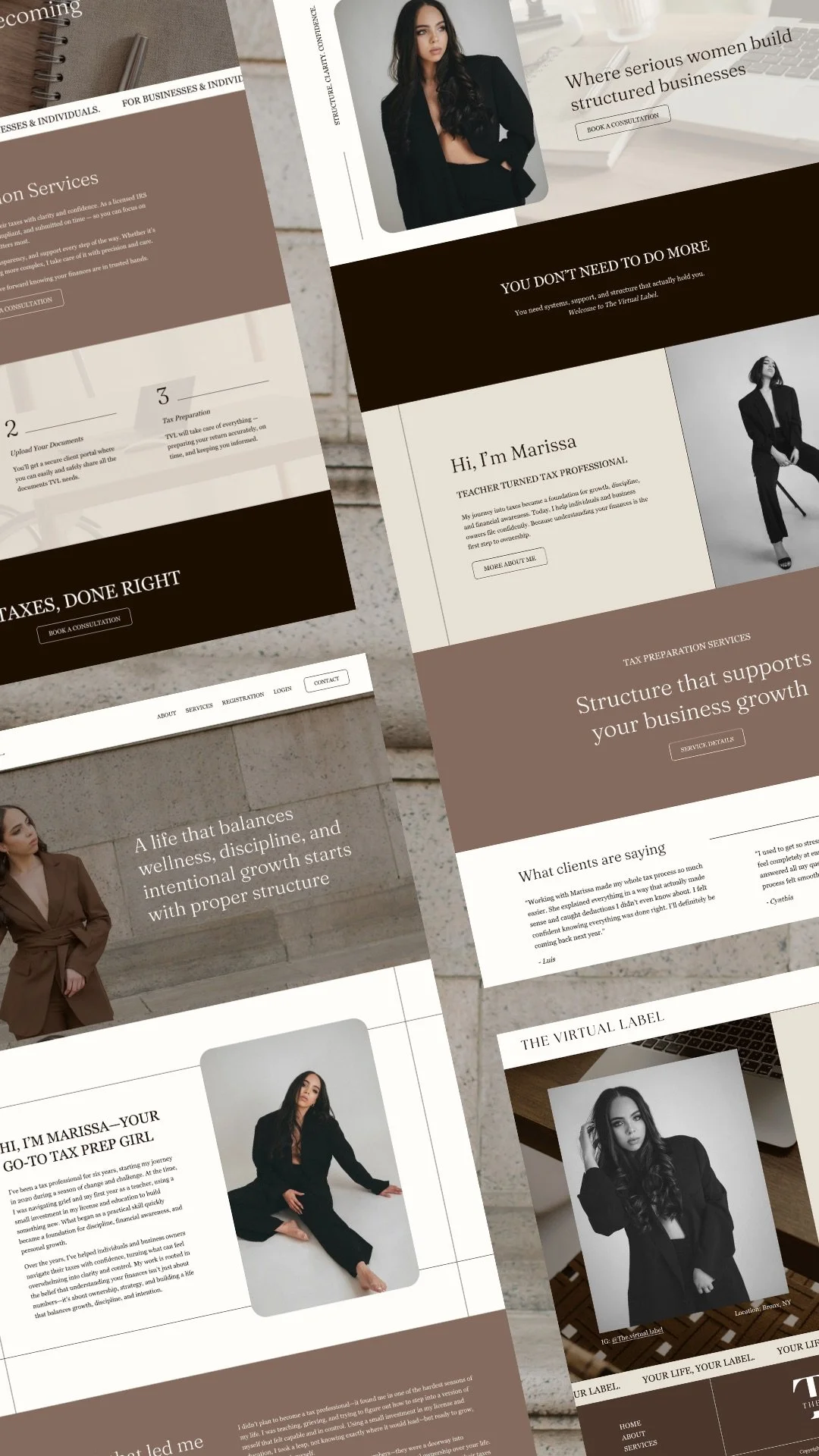
I know what you’re thinking.
A full freaking website?
Designed in a single day?
No dragged out timeline or endless back-and-forth emails?
Launched and making more money ASAP?
Sounds like a dreammmm.
Well it doesn’t have to be!! It can be your reality.
And while many web designers offer “Squarespace Website in a Day”-esque services, there are two pretty wild concepts planted inside my One-Day Website process that you’ll rarely find in other one-day web design packages:
#1: You don’t need to write your website copy before I design your website
So you can close out the daunting Google Doc that’s still blank after months of “later”s and actually LAUNCH your website!
Now by all means, I’m happy to design using your existing web copy, whether it’s professionally written or DIYed.
But a lot of my clients find the task of writing their own copy to be much more manageable once I build out their site using example copy and filler text.
This helps you visualize the sections you’re writing for in your website design instead of attempting to imagine what it could look like once it’s outside of the generic doc.
I’ll explain how this all works in Step 3.
#2: Your web design is completely custom
Most other Website in a Day services are based around template customization, but there isn’t always a template that fits your specific needs in a layout that aligns with the vibe of your brand.
So while your One-Day Website can involve customizing a template if you need a larger site on a budget, it’s not a “strictly template customization” sort of service.
Some also book a One-Day Website to clean up and branch off of their existing site, so it’s a totally custom experience based on what’ll help you best!
Anywho, let’s pretend we already chatted on a call then you decided to book your One-Day Website and get to how this whole thing works.
Here’s how it all goes down from there:
Step 1: Strategy Questionnaire & Call
Once you’ve accepted the proposal—that’s totally on-brand (obvi) and gives you a super snappy onboarding process thanks to Dubsado—I’ll send over a website strategy questionnaire.
This’ll help me get some background info about your brand, audience, competitors, and website inspo.
It’s also where I’ll be pulling suggested copy from if you don’t have website copy done yet. (Because a lot of the time, the responses to these questions include phrases that your audience would resonate most with!)
Btw, if you’re curious what this questionnaire includes, I go into some of the questions in my FREE (downloadable and fill-out-able) guide, 5 Steps to a Premium Website.
You’re able to save drafts as you go and come back to it whenever’s most convenient for you.
Then, typically the Thursday or Friday before I design your website in a day, we’ll hop on a call and go over any follow-up questions I might have for you.
If you booked your branding and web design as a bundle, your branding will come before your web design and we’ll have our strategy call toward the end of branding revisions week.
Again, it’s alllll about streamlined processes over here.
Step 2: Your Squarespace Website in a Day
(AKA One-Day Website in the GRO universe)
I say One-Day Website includes up to 3 pages, but that’s flexible depending on design complexity and length of the pages. We’ll chat about the details of what yours could include on a free call before you book.
Within the first half of the day, I’ll send over a sneak peek of your homepage along with a feedback form that’ll help me gauge how you’re liking things and if there are any design elements I should adjust as I’m designing the rest of your site.
Besides mayyyybe answering a stray question that pops up while I’m working, that’s all I’ll really need from ya on design day!
By the end of the day (meaning anytime before I go to bed lol) I’ll send over a link to the full website ready for you to review.
It’ll come along with another form with a few questions to help you provide feedback for revisions.
Step 3: Revisions (& Website Copy?)
Some clients find it easiest to get on a call and make revisions live together, and others only have a few small tweaks.
Either way, up to an hour of revision time is included. After that, hourly revision time can be added on if needed (but it usually isn’t😉).
Revisions take place the day following your One-Day Website, but we can always push that to the next week if that works better. A lot of my clients are busy moms, so I got you, no worries!
Once desktop view is squared away, I’ll update mobile view to match and have you do a final pass through to see if there’s anything on mobile that you’d like tweaked.
If you opted to have your site designed using filler text and suggested copy, this is when I’ll send over a custom website copy Google Doc template that matches the layout of your site once you sign off on the final design of your site.
Then you have 4 weeks to fill out the copy doc and I’ll update it on your site.
Because if you’re anything like me, having a deadline helps a tonnnn with actually getting your shit done!
Step 4: Launching & Post-Project Support
Once we’re all polished up and ready to launch, I’ll send over a launch graphic or two so you can brag about your sexy new website all over socials.
This can be a scrolling homepage video, a few mockup images for a carousel, or any other launch graphic ideas you might have!
You also have a 4-week support period following your project, which includes:
Updating your completed copy template on your site and making it live
Fixing any kinks that might come up during your launch
Any questions you may have about making updates to your site
However, I try to answer all the questions you could ever think of asking about updating your site on your own in the custom video tutorial that I record, so you’ll have that to reference if you ever need some guidance in the future!
And now that your project’s done, you’ll have access to VIP GRO Hours—which are dedicated hours of design time for checking off your to-dos—so if you ever need to add a page, I’m just a “help pls” away.
Pretty streamlined process, right?
Just think, the next time I’m taking you through the process, you’ll be coming out the other side with a stunning site you’re proud to share with clients!
Since you’ve made it all the way down here, it wouldn’t hurt to schedule a free chit chat to see if a Squarespace website in a day project’s the right fit for you.
New here & wanna stick around a while?
Here are some ways you can plant yourself in my corner of the internet:
Subscribe to my newsletter for an entertaining story-led tip on business, design, marketing, mindset, and more, delivered to your inbox every Thursday morning!
Peek at my design services to get the deets on how we can work together to fertilize the heck out of your business—like with fully custom branding and web design ready to launch in just one month.
Stalk my portfolio stacked with branding and web design case studies to see what I’ve created for other women-led businesses—and picture your project there next.
Follow me on Instagram so we can swipe up on each other’s stories and DM about our latest tv show hyperfixations.
Heads up: This page may contain affiliate links. Which just means that if you click through a link and make a purchase, I may earn a small commission at no extra cost to you!

Hey, I’m Giuliana!
Branding & Squarespace web designer obsessed with helping female entrepreneurs elevate their online presence to reflect the energy they pour into their clients.
You down? Here’s how we can work together: